Supported OS Linux Windows Mac OS

インテグレーションバージョン6.10.1
このページは日本語には対応しておりません。随時翻訳に取り組んでいます。
翻訳に関してご質問やご意見ございましたら、お気軽にご連絡ください

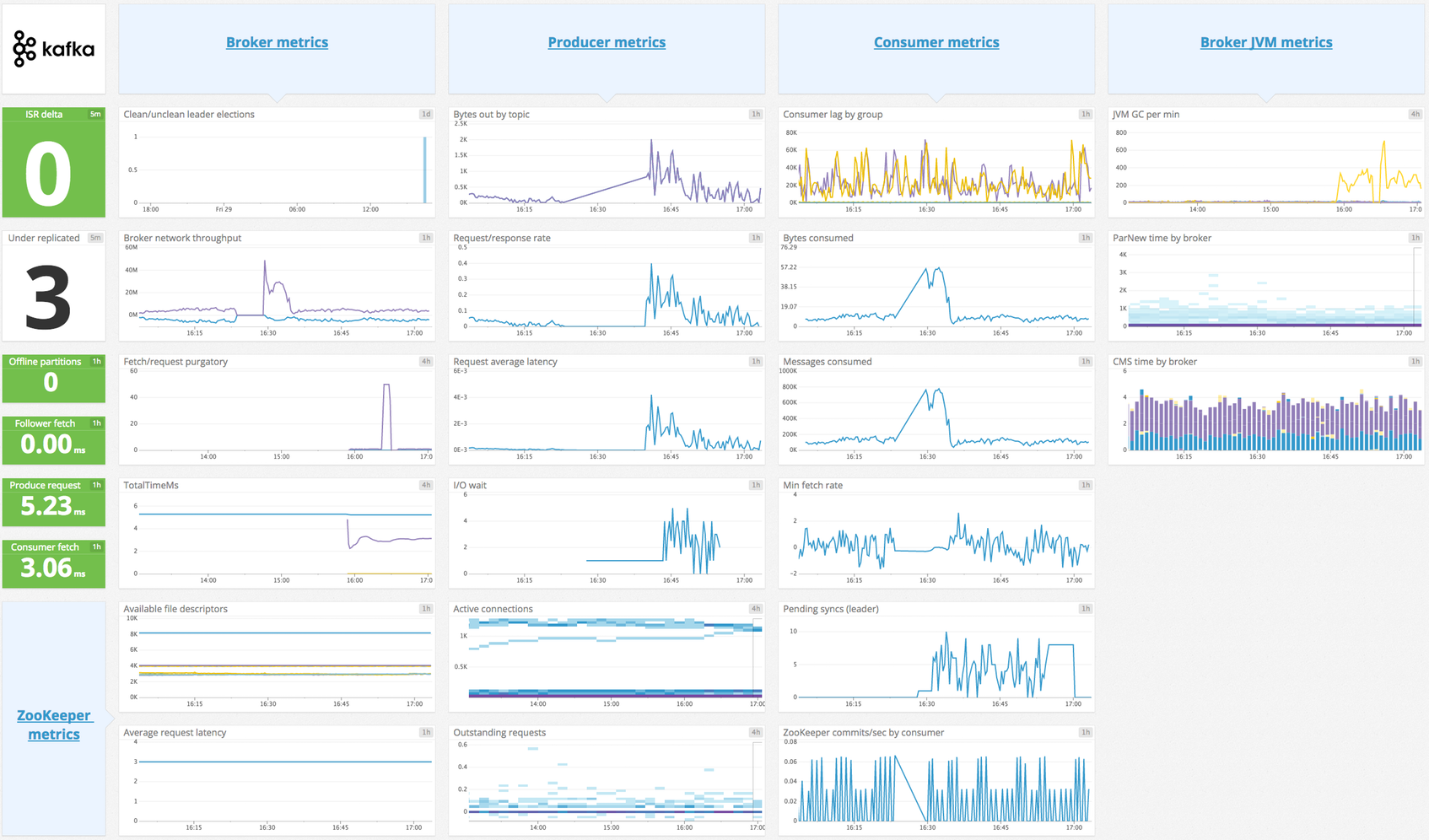
Kafka Dashboard

Overview

This Agent integration collects message offset metrics from your Kafka consumers. This check fetches the highwater offsets from the Kafka brokers, consumer offsets that are stored in Kafka (or Zookeeper for old-style consumers), and then calculates consumer lag (which is the difference between the broker offset and the consumer offset).

Note:

  • This integration ensures that consumer offsets are checked before broker offsets; in the worst case, consumer lag may be a little overstated. Checking these offsets in the reverse order can understate consumer lag to the point of having negative values, which is a dire scenario usually indicating messages are being skipped.
  • If you want to collect JMX metrics from your Kafka brokers or Java-based consumers/producers, see the Kafka Broker integration.

Minimum Agent version: 6.0.0

Setup

Installation

The Agent’s Kafka consumer check is included in the Datadog Agent package. No additional installation is needed on your Kafka nodes.

Configuration

Containerized

Configure this check on a container running the Kafka Consumer. See the Autodiscovery Integration Templates for guidance on applying the parameters below. In Kubernetes, if a single consumer is running on many containers, you can set up this check as a Cluster Check to avoid having multiple checks collecting the same metrics.

ParameterValue
<INTEGRATION_NAME>kafka_consumer
<INIT_CONFIG>blank or {}
<INSTANCE_CONFIG>{"kafka_connect_str": "<KAFKA_CONNECT_STR>", "consumer_groups": {"<CONSUMER_NAME>": {}}}
For example, {"kafka_connect_str": "server:9092", "consumer_groups": {"my_consumer_group": {}}}

Configure this check on a host running the Kafka Consumer. Avoid having multiple Agents running with the same check configuration, as this puts additional pressure on your Kafka cluster.

  1. Edit the kafka_consumer.d/conf.yaml file, in the conf.d/ folder at the root of your Agent’s configuration directory. See the sample kafka_consumer.d/conf.yaml for all available configuration options. A minimal setup is:
instances:
  - kafka_connect_str: <KAFKA_CONNECT_STR>
    consumer_groups:
      # Monitor all topics for consumer <CONSUMER_NAME>
      <CONSUMER_NAME>: {}
  1. Restart the Agent.

Cluster Monitoring (Preview)

In addition to consumer lag metrics, this integration can collect comprehensive cluster metadata when enable_cluster_monitoring is enabled:

  • Broker information: Configuration and health metrics
  • Topic and partition details: Sizes, offsets, replication status
  • Consumer group metadata: Member details and group state
  • Schema registry: Schema information (if schema_registry_url is provided)

All cluster monitoring metrics are tagged with kafka_cluster_id for easy filtering.

Note: This feature is in Preview and may increase Agent resource consumption on large clusters. The integration caches configuration and schema events to reduce volume.

Example configuration:

instances:
  - kafka_connect_str: localhost:9092
    enable_cluster_monitoring: true
    schema_registry_url: http://localhost:8081  # optional

Validation

  1. Run the Agent’s status subcommand and look for kafka_consumer under the Checks section.
  2. Ensure the metric kafka.consumer_lag is generated for the appropriate consumer_group.

Data Collected

Metrics

kafka.broker.config.default_replication_factor
(gauge)
Broker configuration for default replication factor.
Shown as item
kafka.broker.config.log_retention_bytes
(gauge)
Broker configuration for log retention in bytes.
Shown as byte
kafka.broker.config.log_retention_ms
(gauge)
Broker configuration for log retention in milliseconds.
Shown as millisecond
kafka.broker.config.log_segment_bytes
(gauge)
Broker configuration for log segment size in bytes.
Shown as byte
kafka.broker.config.min_insync_replicas
(gauge)
Broker configuration for minimum in-sync replicas.
Shown as item
kafka.broker.config.num_io_threads
(gauge)
Broker configuration for number of I/O threads.
Shown as thread
kafka.broker.config.num_network_threads
(gauge)
Broker configuration for number of network threads.
Shown as thread
kafka.broker.config.num_partitions
(gauge)
Broker configuration for default number of partitions.
Shown as item
kafka.broker.count
(gauge)
Total number of brokers in the cluster.
Shown as instance
kafka.broker.leader_count
(gauge)
Number of partitions for which this broker is the leader.
Shown as item
kafka.broker.partition_count
(gauge)
Total number of partitions on this broker including replicas.
Shown as item
kafka.broker_offset
(gauge)
Current message offset on broker.
Shown as offset
kafka.cluster.controller_id
(gauge)
ID of the broker acting as the cluster controller.
Shown as instance
kafka.consumer_group.count
(gauge)
Total number of consumer groups.
Shown as item
kafka.consumer_group.member.partitions
(gauge)
Number of partitions assigned to this consumer group member.
Shown as item
kafka.consumer_group.members
(gauge)
Number of members in the consumer group.
Shown as item
kafka.consumer_lag
(gauge)
Lag in messages between consumer and broker.
Shown as message
kafka.consumer_offset
(gauge)
Current message offset on consumer.
Shown as offset
kafka.estimated_consumer_lag
(gauge)
Lag in seconds between consumer and broker. This metric is provided through Data Streams Monitoring. Additional charges may apply.
Shown as second
kafka.partition.beginning_offset
(gauge)
The earliest offset in the partition.
Shown as offset
kafka.partition.isr
(gauge)
Number of in-sync replicas for this partition.
Shown as item
kafka.partition.offline
(gauge)
Whether this partition is offline (1) or not (0).
kafka.partition.replicas
(gauge)
Number of replicas for this partition.
Shown as item
kafka.partition.size
(gauge)
Number of messages in the partition.
Shown as message
kafka.partition.under_replicated
(gauge)
Whether this partition is under-replicated (1) or not (0).
kafka.schema_registry.subjects
(gauge)
Total number of schema subjects in the registry.
Shown as item
kafka.schema_registry.versions
(gauge)
Number of versions for this schema subject.
Shown as item
kafka.topic.config.max_message_bytes
(gauge)
Topic configuration for maximum message size in bytes.
Shown as byte
kafka.topic.config.retention_bytes
(gauge)
Topic configuration for retention size in bytes.
Shown as byte
kafka.topic.config.retention_ms
(gauge)
Topic configuration for retention time in milliseconds.
Shown as millisecond
kafka.topic.count
(gauge)
Total number of topics in the cluster.
Shown as item
kafka.topic.message_rate
(gauge)
Message production rate for this topic.
Shown as message
kafka.topic.partitions
(gauge)
Number of partitions for this topic.
Shown as item
kafka.topic.size
(gauge)
Total number of messages in the topic.
Shown as message

Kafka messages

This integration is used by Data Streams Monitoring to retrieve messages from Kafka on demand.

Events

consumer_lag:
The Datadog Agent emits an event when the value of the consumer_lag metric goes below 0, tagging it with topic, partition and consumer_group.

Service Checks

The Kafka-consumer check does not include any service checks.

Troubleshooting

Kerberos GSSAPI Authentication

Depending on your Kafka cluster’s Kerberos setup, you may need to configure the following:

  • Kafka client configured for the Datadog Agent to connect to the Kafka broker. The Kafka client should be added as a Kerberos principal and added to a Kerberos keytab. The Kafka client should also have a valid kerberos ticket.
  • TLS certificate to authenticate a secure connection to the Kafka broker.
    • If JKS keystore is used, a certificate needs to be exported from the keystore and the file path should be configured with the applicable tls_cert and/or tls_ca_cert options.
    • If a private key is required to authenticate the certificate, it should be configured with the tls_private_key option. If applicable, the private key password should be configured with the tls_private_key_password.
  • KRB5_CLIENT_KTNAME environment variable pointing to the Kafka client’s Kerberos keytab location if it differs from the default path (for example, KRB5_CLIENT_KTNAME=/etc/krb5.keytab)
  • KRB5CCNAME environment variable pointing to the Kafka client’s Kerberos credentials ticket cache if it differs from the default path (for example, KRB5CCNAME=/tmp/krb5cc_xxx)
  • If the Datadog Agent is unable to access the environment variables, configure the environment variables in a Datadog Agent service configuration override file for your operating system. The procedure for modifying the Datadog Agent service unit file may vary for different Linux operating systems. For example, in a Linux systemd environment:

Linux Systemd Example

  1. Configure the environment variables in an environment file. For example: /path/to/environment/file

    KRB5_CLIENT_KTNAME=/etc/krb5.keytab
    KRB5CCNAME=/tmp/krb5cc_xxx
    
  2. Create a Datadog Agent service configuration override file: sudo systemctl edit datadog-agent.service

  3. Configure the following in the override file:

    [Service]
    EnvironmentFile=/path/to/environment/file
    
  4. Run the following commands to reload the systemd daemon, datadog-agent service, and Datadog Agent:

    sudo systemctl daemon-reload
    sudo systemctl restart datadog-agent.service
    sudo service datadog-agent restart
    

Further Reading