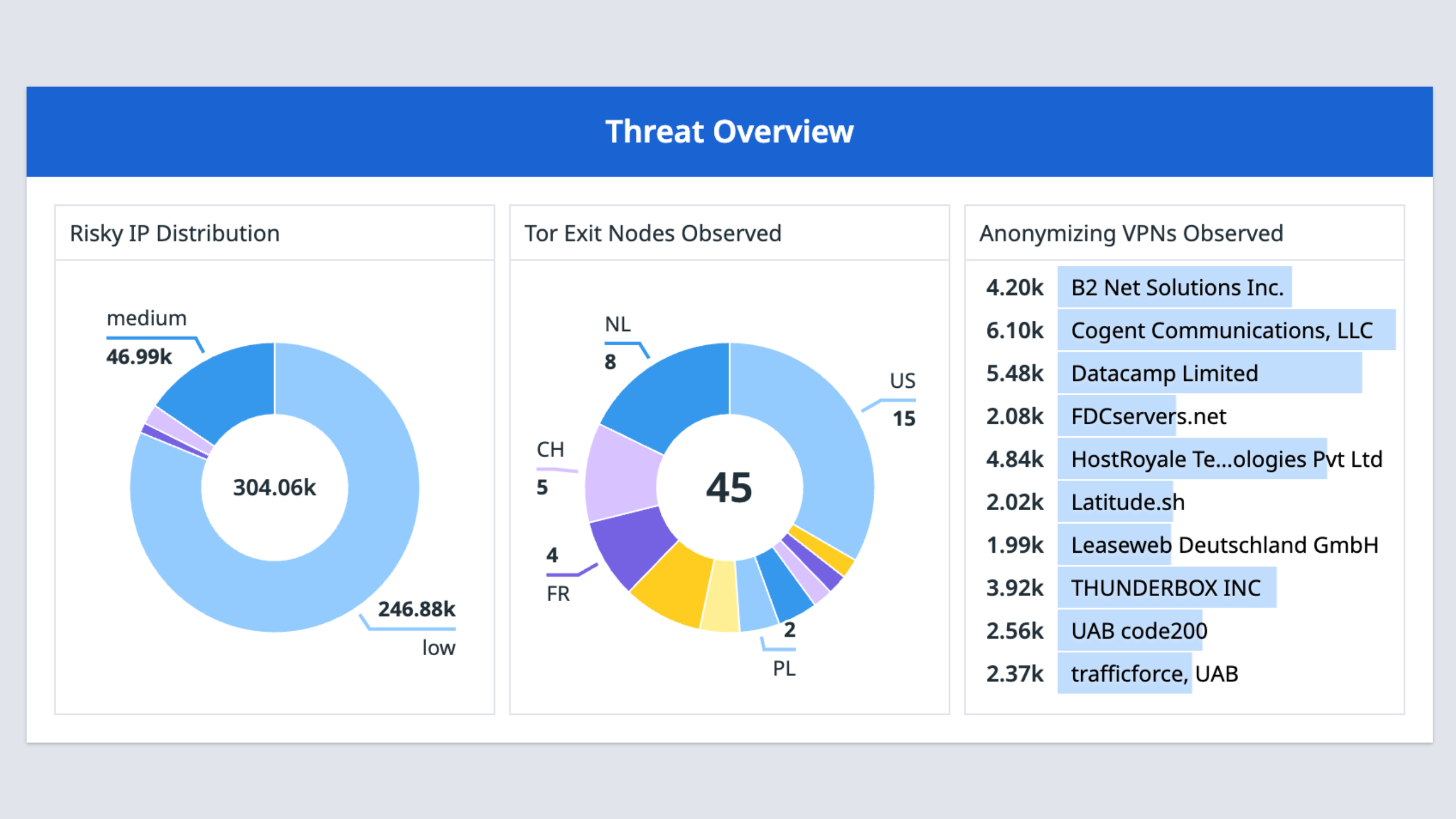
Monitor Scamalytics risk scores, Tor exit nodes, and VPN usage.
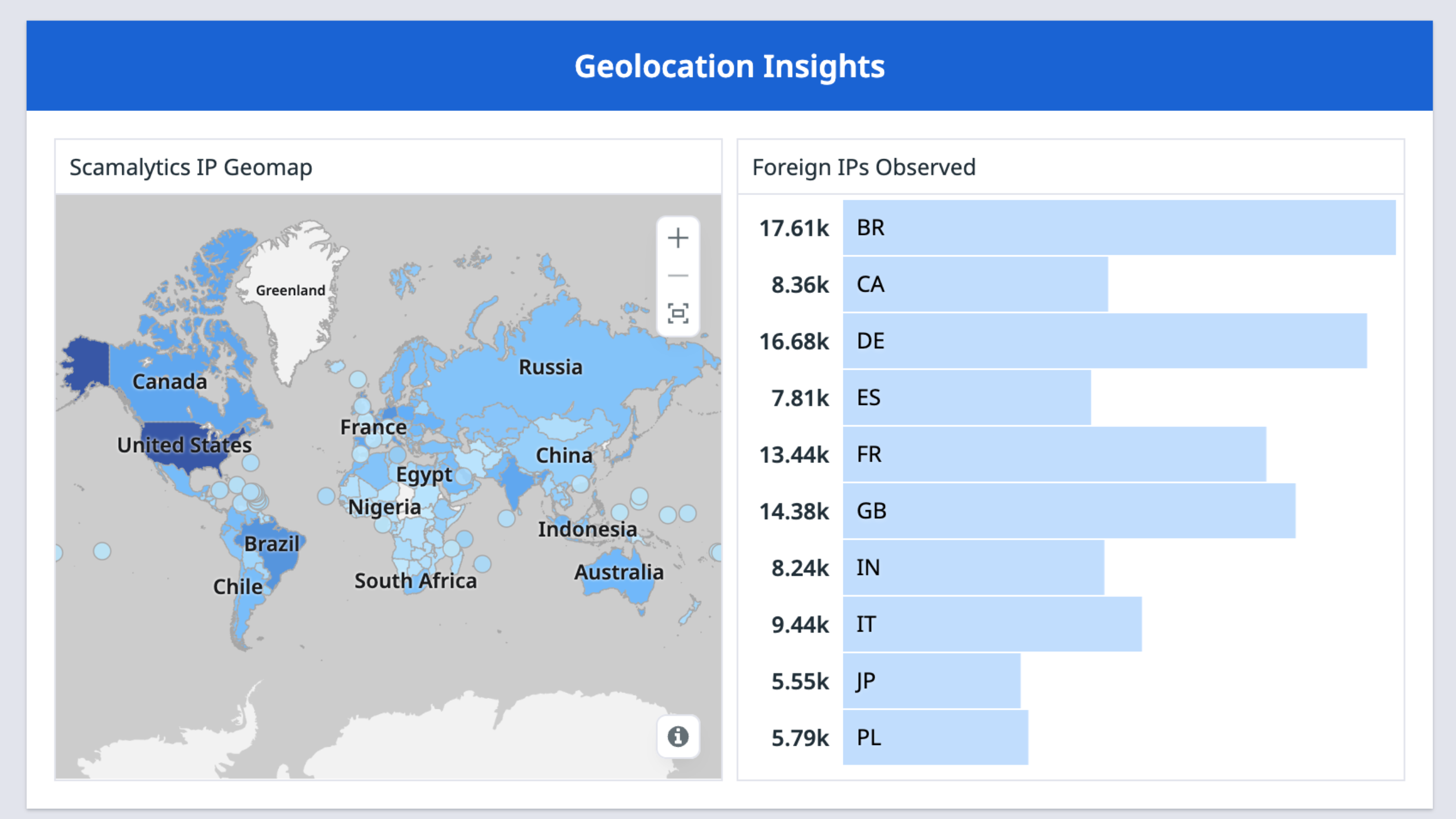
Visualize traffic origins and top foreign IP sources.
Cette page n'est pas encore disponible en français, sa traduction est en cours.
Si vous avez des questions ou des retours sur notre projet de traduction actuel,
n'hésitez pas à nous contacter.
Overview
Scamalytics transforms raw IP traffic into actionable threat intelligence. The platform provides IP enrichment and generates accurate risk scores for every IP address, offering clear, evidence-based context for each connection. It identifies anonymization methods such as VPNs, proxies, Tor nodes, and data center traffic, and attributes requests by geolocation, ASN, and ISP. Scamalytics also performs abuse and blacklist checks, giving organizations insight into suspicious or high-risk IP activity.
This integration collects Scamalytics logs in Datadog to visualize risk distribution, monitor threat patterns by geography, and trigger automated alerts for high-risk connections. Additionally, this integration allows Scamalytics to query Datadog logs in order to correlate IP reputation data with application activity and investigate security incidents with full historical context.
Setup
Run the following command to install the Agent integration:
datadog-agent integration install -t datadog-scamalytics==1.0.0
Open conf.d/scamalytics.d/conf.yaml and add the Scamalytics API endpoint URL along with your API key.
init_config:

instances:
  - url: "https://api.scamalytics.com/?ip="
  - api_key: "<YOUR_API_KEY>"
  - customer_id: "<YOUR_CUSTOMER-ID>"
Restart the Agent.
Verify the integration is working
Run datadog-agent check scamalytics
The Scamalytics integration automatically detects and scans IP addresses found in Datadog’s standard network attributes:
- Inbound Traffic (
network.client.ip) - Outbound Traffic (
network.destination.ip)
Uninstallation
- Run the
datadog-agent integration remove command. - Click Uninstall to remove the included dashboard.
Support
Need help? Contact Scamalytics.