Esta página aún no está disponible en español. Estamos trabajando en su traducción. Si tienes alguna pregunta o comentario sobre nuestro actual proyecto de traducción, no dudes en ponerte en contacto con nosotros.
Set the following environment variable to specify that the dd-trace/init module is required when the Node.js process starts:
ENVNODE_OPTIONS="--require dd-trace/init"
Note: Cloud Run Jobs run to completion rather than serving requests, so auto instrumentation won’t create a top-level “job” span. For end-to-end visibility, create your own root span. See the Node.js Custom Instrumentation instructions.
Serverless-init automatically creates a span for the duration of a task, even if the tracer is not installed. You can disable this by setting DD_APM_ENABLED=false. However, tracing is recommended because it is required for task-level visibility.
Cloud Run Jobs requires serverless-init version 1.9.0 or later.
Datadog publishes new releases of the serverless-init container image to Google's gcr.io, AWS's ECR, and on Docker Hub:
hub.docker.com
gcr.io
public.ecr.aws
datadog/serverless-init
gcr.io/datadoghq/serverless-init
public.ecr.aws/datadog/serverless-init
Images are tagged based on semantic versioning, with each new version receiving three relevant tags:
1, 1-alpine: use these to track the latest minor releases, without breaking changes
1.x.x, 1.x.x-alpine: use these to pin to a precise version of the library
latest, latest-alpine: use these to follow the latest version release, which may include breaking changes
Add the following instructions and arguments to your Dockerfile.
As long as your command to run is passed as an argument to datadog-init, you will receive full instrumentation.
Set up logs.
To enable logging, set the environment variable DD_LOGS_ENABLED=true. This allows serverless-init to read logs from stdout and stderr.
Datadog also recommends setting the environment variable DD_LOGS_INJECTION=true and DD_SOURCE=nodejs to enable advanced Datadog log parsing.
If you want multiline logs to be preserved in a single log message, Datadog recommends writing your logs in JSON format. For example, you can use a third-party logging library such as winston:
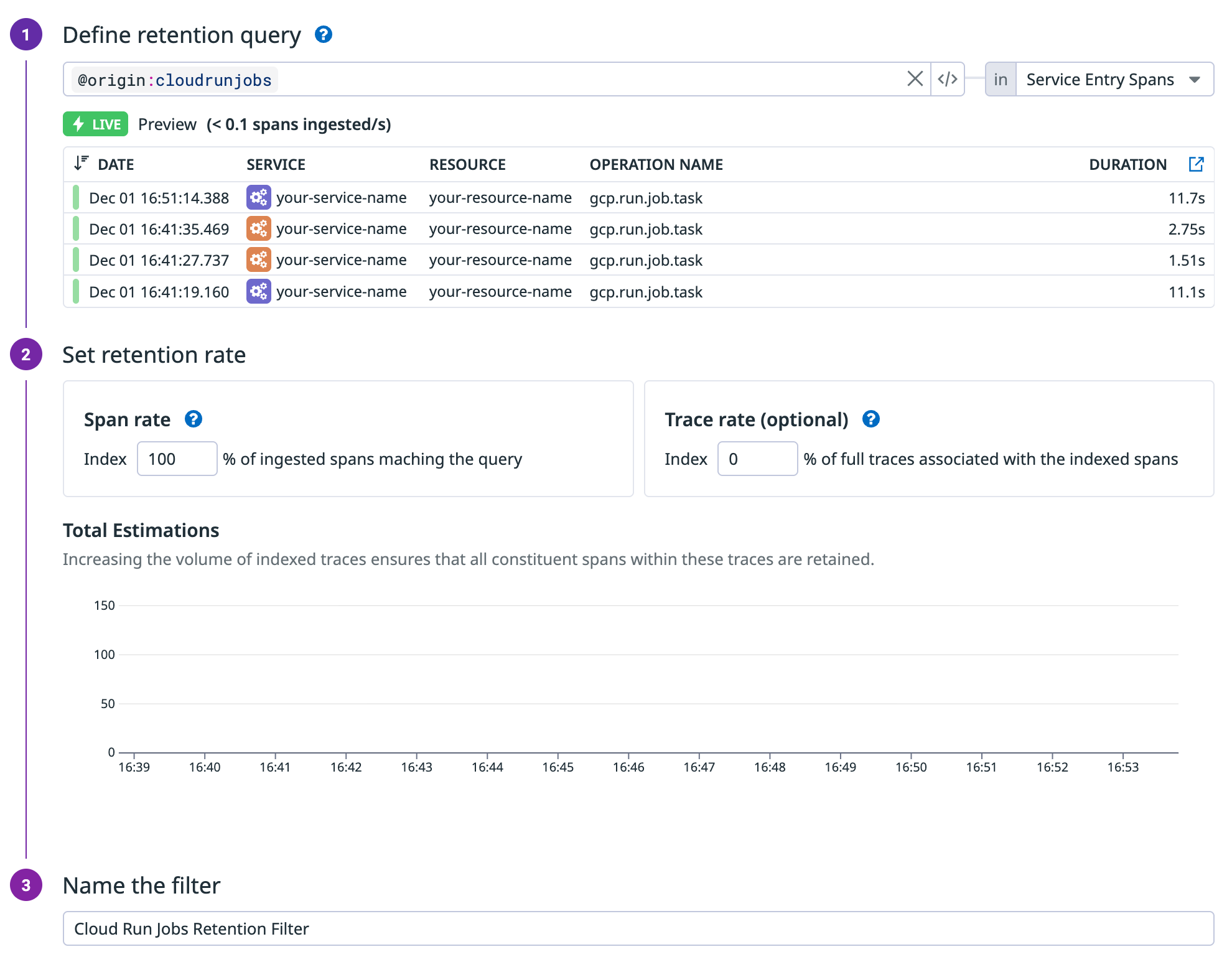
Set up a retention filter for Cloud Run Jobs traces. Datadog relies on traces to display executions and
tasks in the UI. To ensure traces are retained, create a retention filter with the query
@origin:cloudrunjobs and set the span retention rate to 100%.
Send custom metrics.
To send custom metrics, view code examples. In serverless, only the distribution metric type is supported.
Set the log source to enable a Log Pipeline for advanced parsing. To automatically apply language-specific parsing rules, set to nodejs, or use your custom pipeline. Defaults to cloudrun.
DD_TAGS
Add custom tags to your logs, metrics, and traces. Tags should be comma separated in key/value format (for example: key1:value1,key2:value2).
Distributed tracing with Pub/Sub
To get end-to-end distributed traces between Pub/Sub producers and Cloud Run jobs, configure your push subscriptions with the --push-no-wrapper and --push-no-wrapper-write-metadata flags. This moves message attributes from the JSON body to HTTP headers, allowing Datadog to extract producer trace context and create proper span links.
Eventarc Pub/Sub triggers use push subscriptions as the underlying delivery mechanism. When you create an Eventarc trigger, GCP automatically creates a managed push subscription. However, Eventarc does not expose --push-no-wrapper-write-metadata as a trigger creation parameter, so you must manually update the auto-created subscription.
This integration depends on your runtime having a full SSL implementation. If you are using a slim image, you may need to add the following command to your Dockerfile to include certificates:
RUN apt-get update && apt-get install -y ca-certificates
To have your Cloud Run services appear in the software catalog, you must set the DD_SERVICE, DD_VERSION, and DD_ENV environment variables.