To find out if this integration is available in your organization, see your Datadog Integrations page or ask your organization administrator.
To initiate an exception request to enable this integration for your organization, email support@ddog-gov.com.
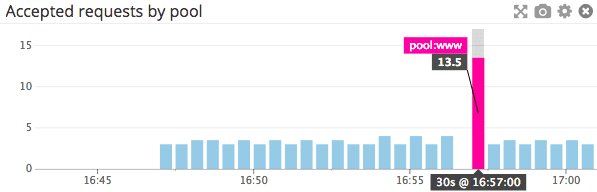
개요
PHP-FPM 점검은 FPM 풀의 상태를 모니터링하고 요청 성능을 추적합니다.
설정
설치
PHP-FPM 점검은 Datadog 에이전트 패키지에 포함되어 있습니다. 서버에 추가 설치가 필요하지 않습니다.
구성
호스트에서 실행 중인 Agent에 대해 이 검사를 구성하려면 아래 지침을 따르세요. 컨테이너화된 환경의 경우 Containerized 섹션을 참조하세요.
호스트
호스트에서 실행 중인 에이전트에 대해 이 점검을 구성하려면:
에이전트 설정 디렉토리 루트의 conf.d/ 폴더에 있는 php_fpm.d/conf.yaml 파일을 편집합니다. 사용 가능한 모든 설정 옵션은 샘플 php_fpm.d/conf.yaml을 참조하세요.
init_config:

instances:
  ## @param status_url - string - required
  ## Get metrics from your FPM pool with this URL
  ## The status URLs should follow the options from your FPM pool
  ## See http://php.net/manual/en/install.fpm.configuration.php
  ##   * pm.status_path
  ## You should configure your fastcgi passthru (nginx/apache) to catch these URLs and
  ## redirect them through the FPM pool target you want to monitor (FPM `listen`
  ## directive in the config, usually a UNIX socket or TCP socket.
  #
  - status_url: http://localhost/status

    ## @param ping_url - string - required
    ## Get a reliable service check of your FPM pool with `ping_url` parameter
    ## The ping URLs should follow the options from your FPM pool
    ## See http://php.net/manual/en/install.fpm.configuration.php
    ##   * ping.path
    ## You should configure your fastcgi passthru (nginx/apache) to
    ## catch these URLs and redirect them through the FPM pool target
    ## you want to monitor (FPM `listen` directive in the config, usually
    ## a UNIX socket or TCP socket.
    #
    ping_url: http://localhost/ping

    ## @param use_fastcgi - boolean - required - default: false
    ## Communicate directly with PHP-FPM using FastCGI
    #
    use_fastcgi: false

    ## @param ping_reply - string - required
    ## Set the expected reply to the ping.
    #
    ping_reply: pong
에이전트를 재시작하세요.
컨테이너화
컨테이너화된 환경의 경우 자동탐지 통합 템플릿에 다음 파라미터를 적용하는 방법이 안내되어 있습니다.
| 파라미터 | 값 |
|---|
<INTEGRATION_NAME> | php_fpm |
<INIT_CONFIG> | 비어 있음 또는 {} |
<INSTANCE_CONFIG> | {"status_url":"http://%%host%%/status", "ping_url":"http://%%host%%/ping", "use_fastcgi": false, "ping_reply": "pong"} |
추가 정보
다수의 풀
동일한 프록시 서버를 사용하여 여러 개의 PHP-FPM 풀을 모니터링할 수 있으며, 이는 쿠버네티스(Kubernetes)에서 실행할 때 일반적인 시나리오입니다. 이렇게 하려면 서버의 경로가 서로 다른 PHP-FPM 인스턴스를 가리키도록 수정합니다. 다음은 예제 NGINX 설정입니다.
server {
    ...

    location ~ ^/(status1|ping1)$ {
        access_log off;
        fastcgi_pass instance1_ip:instance1_port;
        include fastcgi_params;
        fastcgi_param SCRIPT_FILENAME $document_root$fastcgi_script_name;
    }

    location ~ ^/(status2|ping2)$ {
        access_log off;
        fastcgi_pass instance2_ip:instance2_port;
        include fastcgi_params;
        fastcgi_param SCRIPT_FILENAME $document_root$fastcgi_script_name;
    }
}
확장에서 이 방법이 너무 번거롭다면 use_fastcgi를 true로 설정하면 점검이 프록시 서버를 우회하여 FastCGI를 사용하여 PHP-FPM과 직접 통신할 수 있습니다. status_url 또는 ping_url에서 생략한 경우 기본 포트는 9000입니다.
Unix 소켓
PHP-FPM 설치가 유닉스 소켓을 사용하는 경우 status_url, ping_url에 아래 구문을 사용하고 use_fastcgi를 활성화해야 합니다:
| 파라미터 | 값 |
|---|
status_url | unix:///<FILE_PATH>.sock/status |
ping_url | unix:///<FILE_PATH>.sock/ping |
ping_reply | pong |
use_fastcgi | true |
참고: 자동탐지를 사용하면 에이전트가 별도의 컨테이너/task/pod에서 실행되는 경우 FPM 풀의 Unix 소켓 파일에 액세스할 수 없습니다. 이 문제를 해결하려면 에이전트를 사이드카로 실행하세요.
검증
에이전트 status 하위 명령을 실행하고 점검 섹션에서 php_fpm을 찾습니다.
수집한 데이터
메트릭
| |
|---|
php_fpm.listen_queue.size
(gauge) | Size of the socket queue of pending connections |
php_fpm.processes.active
(gauge) | Total number of active processes
Shown as process |
php_fpm.processes.idle
(gauge) | Total number of idle processes
Shown as process |
php_fpm.processes.max_active
(count) | The maximum number of processes that can run at once
Shown as process |
php_fpm.processes.max_reached
(count) | The number of times the process limit has been reached (when pm tries to start more children)
Shown as process |
php_fpm.processes.total
(gauge) | Total number of processes
Shown as process |
php_fpm.requests.accepted
(count) | Total number of accepted requests
Shown as request |
php_fpm.requests.slow
(count) | Total number of slow requests
Shown as request |
이벤트
PHP-FPM 점검에는 이벤트가 포함되어 있지 않습니다.
서비스 점검
php_fpm.can_ping
Returns CRITICAL if the Agent is unable to get a pong from the PHP-FPM ping URL.
Statuses: ok, critical
트러블슈팅
도움이 필요하신가요? Datadog 지원 팀에 문의하세요.


