To find out if this integration is available in your organization, see your Datadog Integrations page or ask your organization administrator.
To initiate an exception request to enable this integration for your organization, email support@ddog-gov.com.
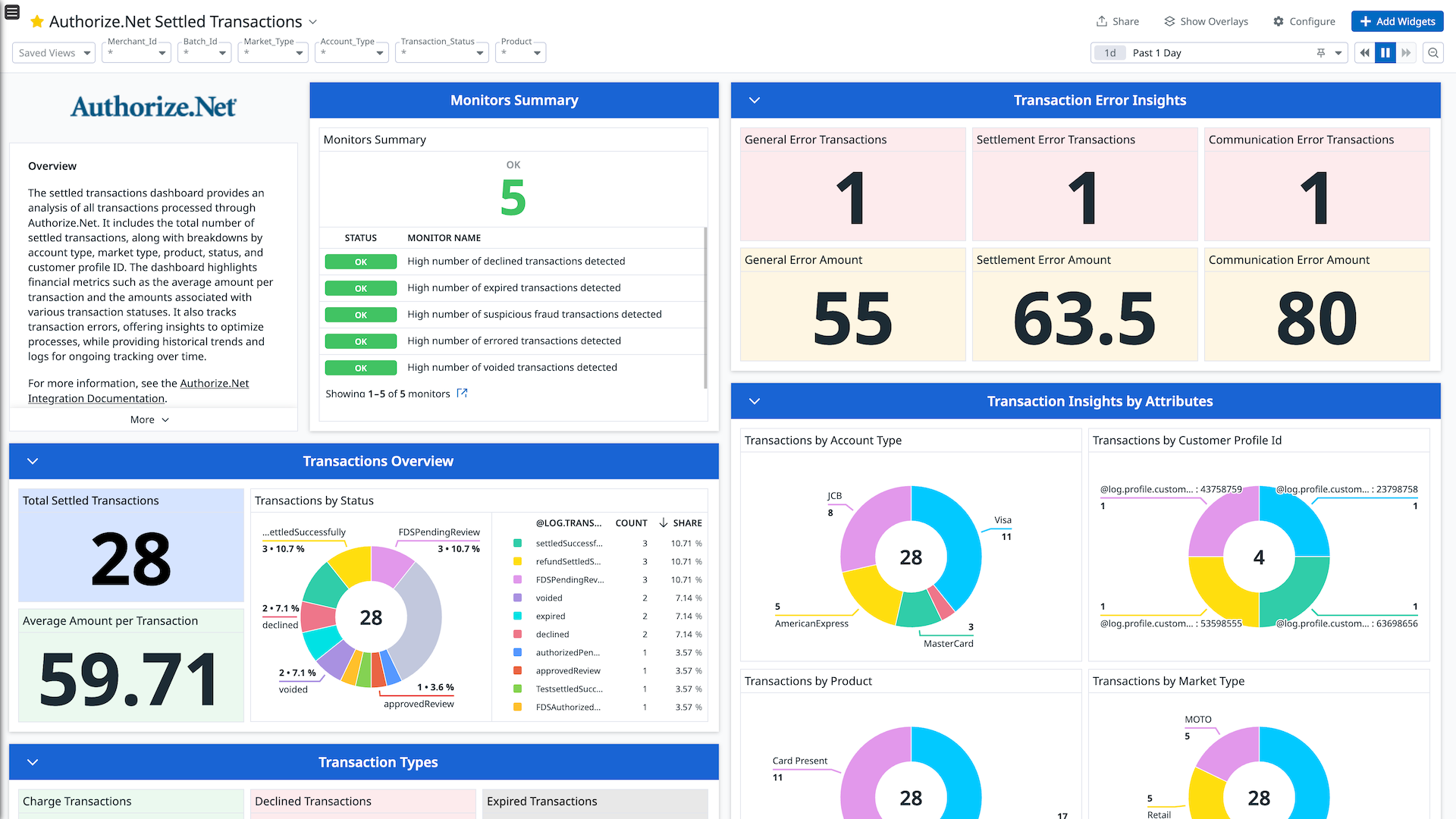
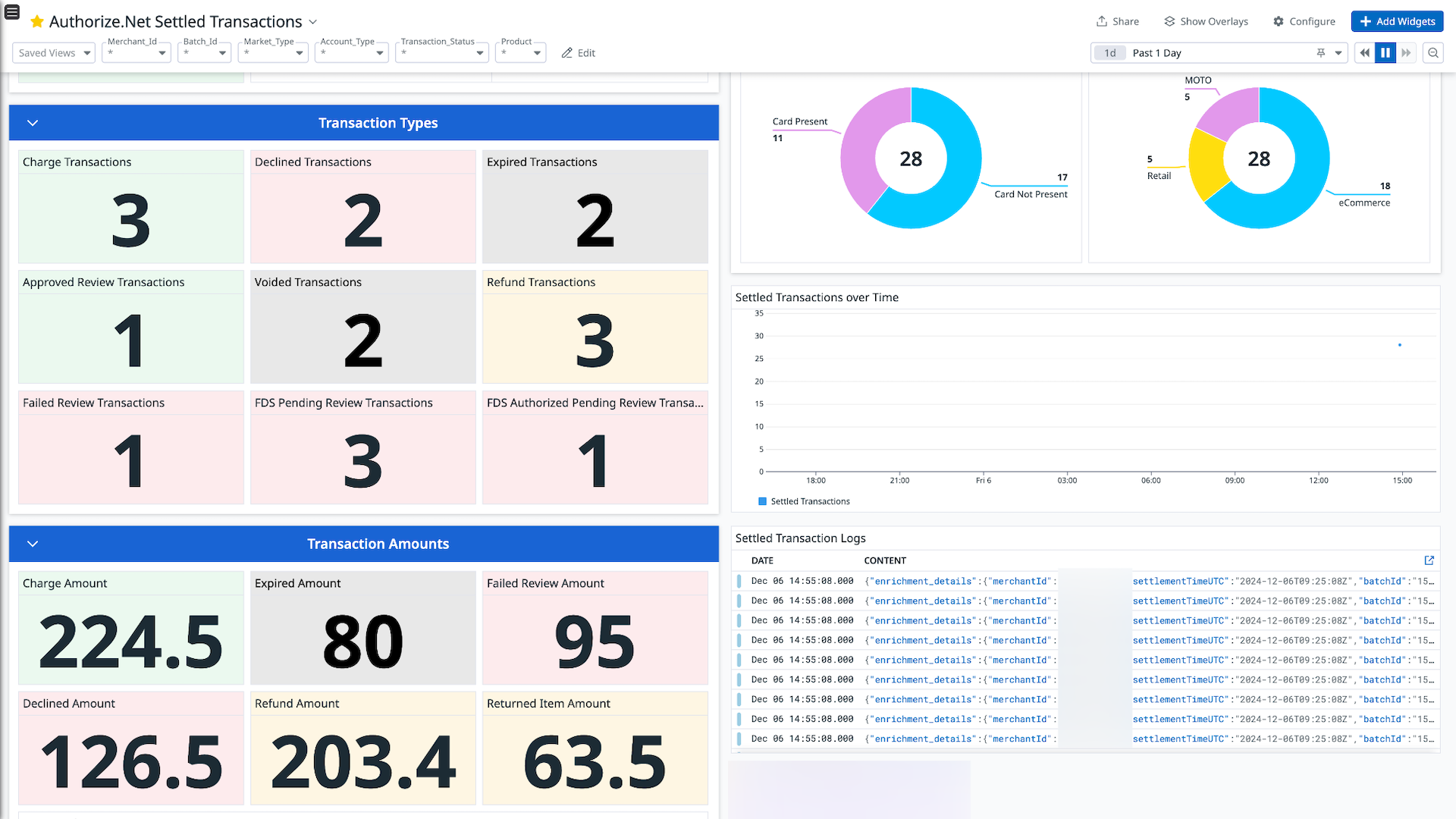
Authorize.net Settled Transactions
Authorize.net Settled Transactions
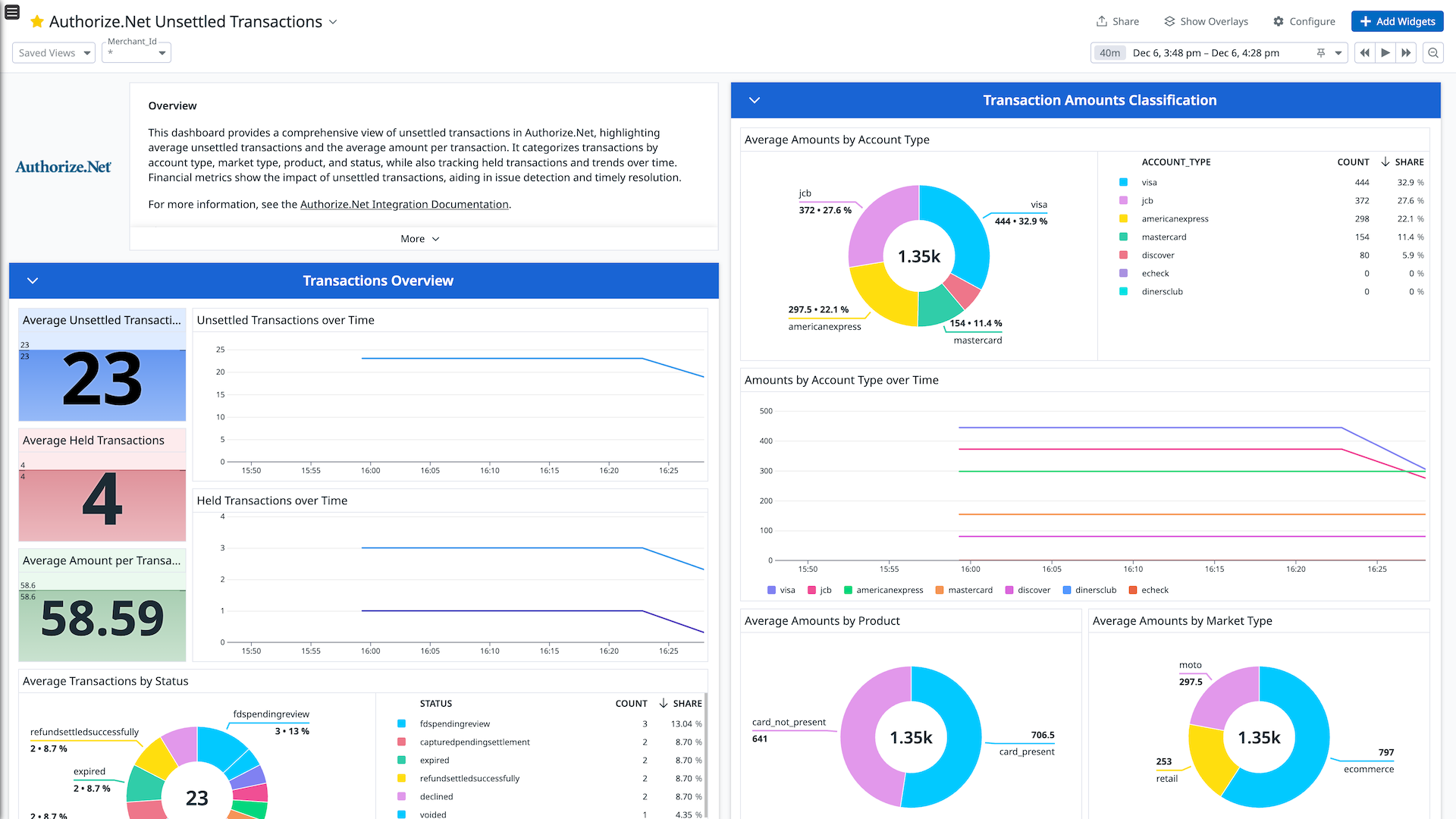
Authorize.net Unsettled Transactions
Overview
Authorize.Net is a payment gateway that allows businesses to accept secure payments through various channels, including online, mobile, and in-person transactions. It supports a range of payment methods such as credit cards, e-checks, and digital wallets, and offers a versatile solution for merchants. The platform emphasizes security with features like encryption, tokenization, and PCI DSS compliance, while also providing advanced fraud detection tools.
The Authorize.Net integration collects settled transaction logs and unsettled transaction metrics, and forwards them to Datadog for comprehensive analysis.
Setup
Generate Login ID and Transaction Key in Authorize.Net
Login ID
- Visit the appropriate URL:
- Sign in to your Authorize.Net account with a user which has access to the Account Administrator role.
- Go to Account > Security Settings > General Security Settings.
- Click API Credentials & Keys.
- Use the API Login ID as the
Login ID value when you connect your Authorize.Net account to Datadog.
Transaction Key
- On the same page, click New Transaction Key and then Submit.
- A popup is displayed to verify your identity; click Request PIN.
- Enter the PIN you received through email, and click Verify PIN.
- Use the Transaction Key value when you connect your Authorize.Net account to Datadog.
- Click Continue.
Connect your Authorize.Net Account to Datadog
Add your Login ID, Transaction Key, and Environment Type.
| Parameters | Description |
|---|
| Login ID | API Login ID for your Authorize.Net account. |
| Transaction Key | Transaction Key for your Authorize.Net account. |
| Environment Type | Dropdown to select the environment type for your Authorize.Net account (Production or Sandbox). |
Click the Save button to save your settings.
Data Collected
Logs
The Authorize.Net integration collects and forwards settled transaction logs to Datadog.
Metrics
| |
|---|
authorize_net.unsettled_transaction.amount_by_account_type
(count) | Total amount of unsettled transactions by account type |
authorize_net.unsettled_transaction.amount_by_market_type
(count) | Total amount of unsettled transactions by market type |
authorize_net.unsettled_transaction.amount_by_product
(count) | Total amount of unsettled transactions by product |
authorize_net.unsettled_transaction.amount_by_status
(count) | Total amount of unsettled transactions by status |
authorize_net.unsettled_transaction.count_by_account_type
(count) | Total number of unsettled transactions by account type |
authorize_net.unsettled_transaction.count_by_market_type
(count) | Total number of unsettled transactions by market type |
authorize_net.unsettled_transaction.count_by_product
(count) | Total number of unsettled transactions by product |
authorize_net.unsettled_transaction.count_by_status
(count) | Total number of unsettled transactions by status |
authorize_net.unsettled_transaction.total_unsettled_transactions
(count) | Total number of unsettled transactions |
Events
The Authorize.Net integration does not include any events.
Support
For further assistance, contact Datadog Support.