Versión de la integración1.0.0
Overview
Workato provides a platform for enterprise automation and integration so you can connect, integrate,
and automate your applications, data, and processes end-to-end.
The Workato integration collects jobs, logs
(recipe execution), and status metrics (connection and recipe state), sending them to Datadog for detailed analysis.
The logs are parsed and enriched for efficient searching, while the metrics provide insights into operational status.
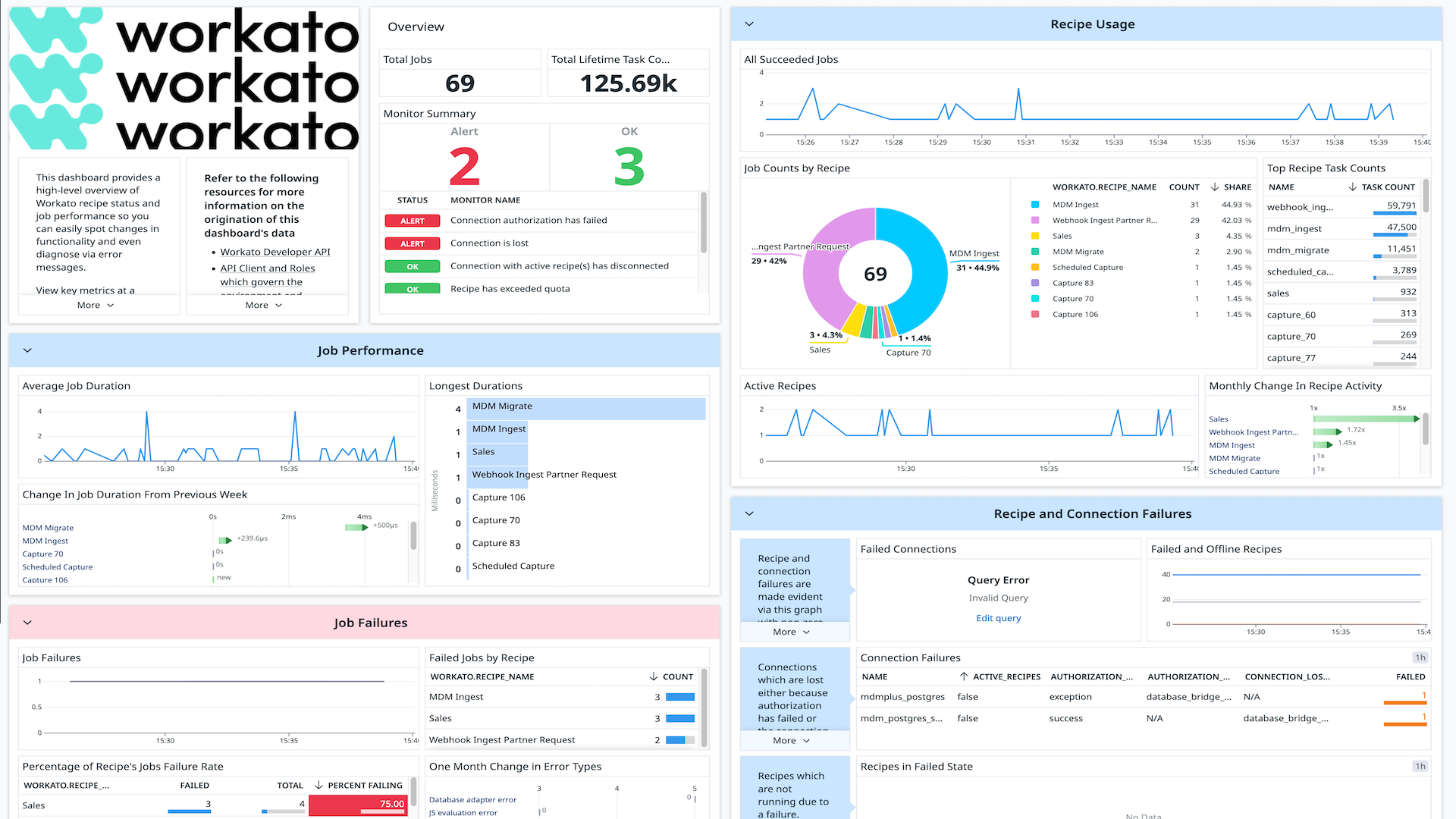
The integration includes a dashboard that shows job execution status and duration, making it easier to monitor and
understand trends and issues.
Setup
Generate API credentials in Workato
- Log in to Workato as an administrator.
- Navigate to the Workspace Admin > API Clients tab.
- (Create a Client Role with sufficient permission) Click Client Roles tab.
- Click + Add client role.
Check the following boxes to allow minimal read access:
| Section | Permission |
|---|
| Projects | Project Assets > List Projects |
| Projects | Project Assets > List Folders |
| Projects | Connections > List |
| Projects | Recipes > List |
| Projects | Recipes > Get job counts for recipes |
| Projects | Recipes > Get details |
| Projects | Recipe Versions > List |
| Projects | Jobs > List |
| Projects | Jobs > Get job |
| Admin | Environment Management > Tags > List tags |
Edit the role name, and click Save changes.
- Select the API Clients tab.
- Click + Add API Client, and then enter the required information:
- Under Name, enter a descriptive and identifiable client name.
- Choose the newly created Client Role from the dropdown, or ensure the selected role has
LIST and GET DETAILS permissions on all Workato Resources. - If the Environments feature is enabled, choose the Environment to which this client has access.
- Choose between Selected Projects or All Projects from the Project access drop-down menu.
- Leave the Allowed IPs text box blank to allow access from any IP.
- Click Create Client, and copy the API token for later use.
Connect your Workato Account to Datadog
- Add your Access Token
| Parameters | Description |
|---|
| API Token | Token generated for your Workato API Client. |
- Click the Save button to save your settings.
Data Collected
Logs
The Workato integration collects and forwards job execution results to Datadog.
Metrics
| |
|---|
workato.connections.failure
(gauge) | Whether a Workato connection is in a failed state |
workato.recipes.failure
(gauge) | Whether a Workato recipe is offline due to configuration or failure |
workato.recipes.task_count
(gauge) | The lifetime task count for recipe |
Service Checks
Workato does not include any service checks.
Events
Workato does not include any events.
Troubleshooting
Need help? Contact Datadog support.